



0123. 数字枚举
- 1. 🎯 本节内容
- 2. 🫧 评价
- 3. 🤔 数字枚举是什么?
- 4. 🤔 数字枚举自动递增的处理机制是什么?
- 5. 🤔 数字枚举中如果出现了相同的值怎么办?
- 6. 🤔 数字枚举中的反向映射是什么?
- 7. 🤔 计算成员与常量成员是什么?
- 8. 🤔 关于数字枚举的实践建议都有哪些?
- 9. 🔗 引用
1. 🎯 本节内容
- 数字枚举的定义和特性
- 自动递增和手动赋值
- 反向映射机制
- 计算成员和常量成员
2. 🫧 评价
数字枚举(Numeric Enum)是 TypeScript 中使用数字作为值的枚举类型。
3. 🤔 数字枚举是什么?
数字枚举是成员值为数字的枚举类型,默认从 0 开始自动递增。
- 自动递增:未赋值的成员自动递增
- 简洁:不需要为每个成员赋值
- 数字值:成员值是数字类型
- 反向映射:既可以通过名称访问值,也可以通过值访问名称
- 编译结果:编译为双向映射的对象
基本数字枚举示例:
ts
enum Direction {
  Up, // 0
  Down, // 1
  Left, // 2
  Right, // 3
}

const dir: Direction = Direction.Up
console.log(dir) // 0
console.log(Direction[0]) // 'Up' - 反向映射

// 编译后得到的 JS:
/*
"use strict";
var Direction;
(function (Direction) {
    Direction[Direction["Up"] = 0] = "Up";
    Direction[Direction["Down"] = 1] = "Down";
    Direction[Direction["Left"] = 2] = "Left";
    Direction[Direction["Right"] = 3] = "Right";
})(Direction || (Direction = {}));
const dir = Direction.Up;
console.log(dir); // 0
console.log(Direction[0]); // 'Up' - 反向映射
*/也可以手动指定起始值:
ts
enum Status {
  Pending = 1,
  Active, // 2
  Inactive, // 3
  Deleted, // 4
}

function getStatusName(status: Status): string {
  return Status[status]
}

console.log(getStatusName(Status.Active)) // 'Active'

// 编译后得到的 JS:
/*
"use strict";
var Status;
(function (Status) {
    Status[Status["Pending"] = 1] = "Pending";
    Status[Status["Active"] = 2] = "Active";
    Status[Status["Inactive"] = 3] = "Inactive";
    Status[Status["Deleted"] = 4] = "Deleted";
})(Status || (Status = {}));
function getStatusName(status) {
    return Status[status];
}
console.log(getStatusName(Status.Active)); // 'Active'
*/可以完全手动赋值 - 每个成员都手动赋值:
ts
enum HttpStatus {
  OK = 200,
  Created = 201,
  BadRequest = 400,
  Unauthorized = 401,
  NotFound = 404,
  InternalServerError = 500,
}

function handleStatus(status: HttpStatus): void {
  switch (status) {
    case HttpStatus.OK:
      console.log('Success')
      break
    case HttpStatus.NotFound:
      console.log('Not found')
      break
    default:
      console.log('Other status')
  }
}

// 编译后得到的 JS:
/*
"use strict";
var HttpStatus;
(function (HttpStatus) {
    HttpStatus[HttpStatus["OK"] = 200] = "OK";
    HttpStatus[HttpStatus["Created"] = 201] = "Created";
    HttpStatus[HttpStatus["BadRequest"] = 400] = "BadRequest";
    HttpStatus[HttpStatus["Unauthorized"] = 401] = "Unauthorized";
    HttpStatus[HttpStatus["NotFound"] = 404] = "NotFound";
    HttpStatus[HttpStatus["InternalServerError"] = 500] = "InternalServerError";
})(HttpStatus || (HttpStatus = {}));
function handleStatus(status) {
    switch (status) {
        case HttpStatus.OK:
            console.log('Success');
            break;
        case HttpStatus.NotFound:
            console.log('Not found');
            break;
        default:
            console.log('Other status');
    }
}
*/4. 🤔 数字枚举自动递增的处理机制是什么?
如果某个成员显式设置了值,那么后续未设置值的成员会自动 +1 递增。
- 自动递增 - 从第一个初始化成员开始递增
- 多段递增 - 可以有多个初始化点
- 负数 - 可以使用负数
- 间隔 - 可以有间隔
ts
enum Level {
  Low, // 0
  Medium, // 1
  High = 5, // 5
  Critical, // 6 - 从 5 开始递增
}
/*
"use strict";
var Level;
(function (Level) {
    Level[Level["Low"] = 0] = "Low";
    Level[Level["Medium"] = 1] = "Medium";
    Level[Level["High"] = 5] = "High";
    Level[Level["Critical"] = 6] = "Critical";
})(Level || (Level = {}));
*/ts
enum Priority {
  Lowest = 0,
  Low, // 1
  Medium = 5,
  High, // 6
  Highest = 10,
}
/*
"use strict";
var Priority;
(function (Priority) {
    Priority[Priority["Lowest"] = 0] = "Lowest";
    Priority[Priority["Low"] = 1] = "Low";
    Priority[Priority["Medium"] = 5] = "Medium";
    Priority[Priority["High"] = 6] = "High";
    Priority[Priority["Highest"] = 10] = "Highest";
})(Priority || (Priority = {}));
*/ts
enum Temperature {
  FreezingPoint = -10,
  Cold, // -9
  Cool, // -8
  Warm = 10,
  Hot, // 11
  Boiling = 100,
}
/*
"use strict";
var Temperature;
(function (Temperature) {
    Temperature[Temperature["FreezingPoint"] = -10] = "FreezingPoint";
    Temperature[Temperature["Cold"] = -9] = "Cold";
    Temperature[Temperature["Cool"] = -8] = "Cool";
    Temperature[Temperature["Warm"] = 10] = "Warm";
    Temperature[Temperature["Hot"] = 11] = "Hot";
    Temperature[Temperature["Boiling"] = 100] = "Boiling";
})(Temperature || (Temperature = {}));
*/ts
enum ErrorCode {
  Success = 0,
  Warning = 100,
  Error = 200,
  Critical = 300,
}
/*
"use strict";
var ErrorCode;
(function (ErrorCode) {
    ErrorCode[ErrorCode["Success"] = 0] = "Success";
    ErrorCode[ErrorCode["Warning"] = 100] = "Warning";
    ErrorCode[ErrorCode["Error"] = 200] = "Error";
    ErrorCode[ErrorCode["Critical"] = 300] = "Critical";
})(ErrorCode || (ErrorCode = {}));
*/5. 🤔 数字枚举中如果出现了相同的值怎么办?
值冲突:不会报错,后者覆盖前者。
示例:
ts
enum Level {
  Low = 5, // 5
  Medium, // 6
  High = 5, // 5
  Critical, // 6
}
/*
"use strict";
var Level;
(function (Level) {
    Level[Level["Low"] = 5] = "Low";
    Level[Level["Medium"] = 6] = "Medium";
    Level[Level["High"] = 5] = "High";
    Level[Level["Critical"] = 6] = "Critical";
})(Level || (Level = {}));
*/上述这种情况 TS 并不会报错,从最终编译结果来看,出现值冲突的情况,最终效果是后者覆盖前者。
6. 🤔 数字枚举中的反向映射是什么?
- 正向映射:名称 -> 值
- 反向映射:值 -> 名称
你可以通过 key 隐射到 val,也可以通过 val 隐射到 key。
这一特性,可以通过直接观察编译结果 JS 来熟悉实现原理:
ts
enum Level {
  Low,
  Medium,
  High,
  Critical,
}
// 编译后得到的 JS:
/*
"use strict";
var Level;
(function (Level) {
    Level[Level["Low"] = 0] = "Low";
    Level[Level["Medium"] = 1] = "Medium";
    Level[Level["High"] = 2] = "High";
    Level[Level["Critical"] = 3] = "Critical";
})(Level || (Level = {}));
*/示例:
ts
enum Status {
  Draft,
  Published,
  Archived,
}

// 正向映射:名称 -> 值
console.log(Status.Draft) // 0
console.log(Status.Published) // 1

// 反向映射:值 -> 名称
console.log(Status[0]) // 'Draft'
console.log(Status[1]) // 'Published'7. 🤔 计算成员与常量成员是什么?
这一部分内容在官方文档有专门的小节来介绍。
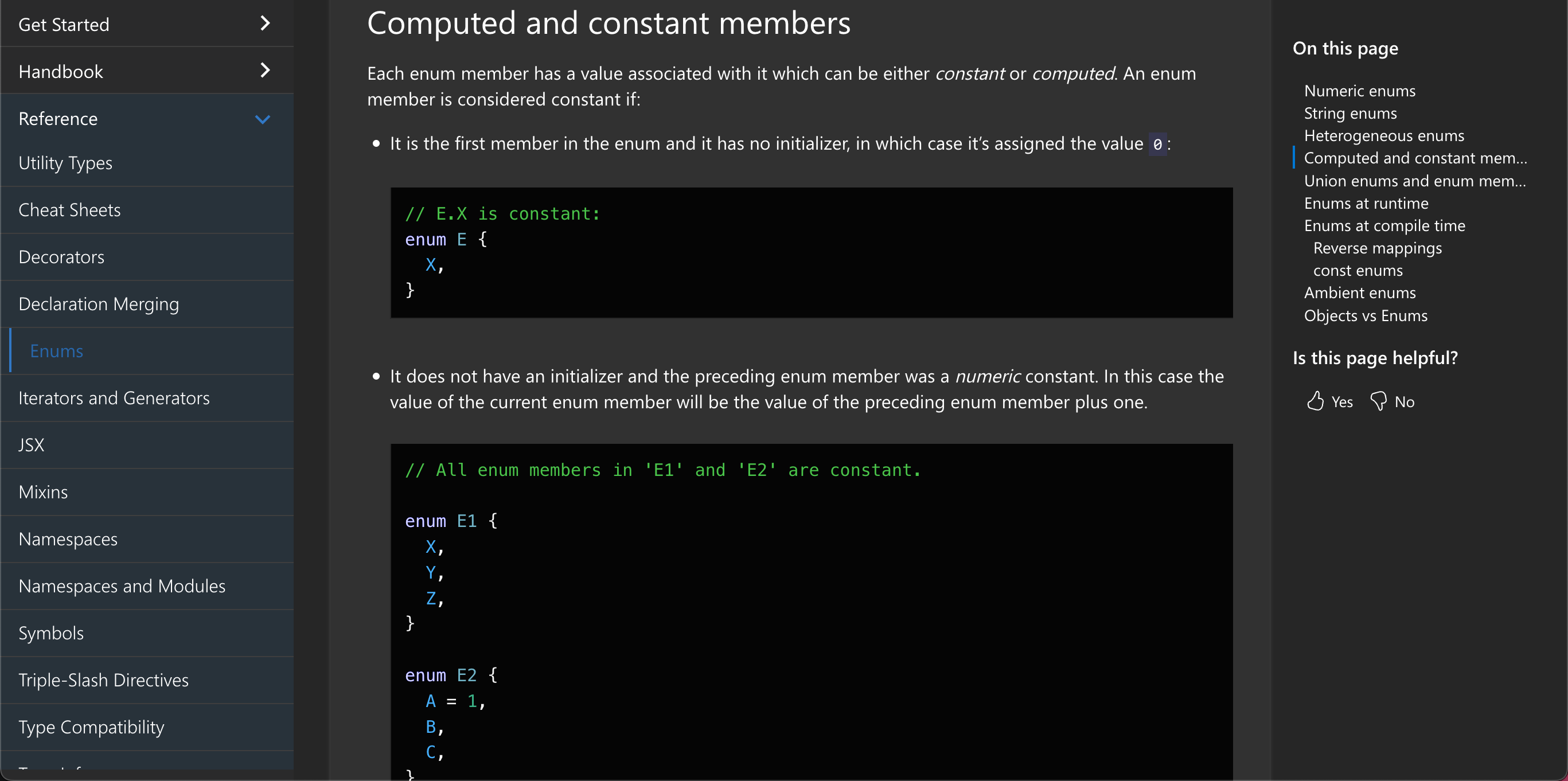
7.1. 官方定义
Computed and constant members
计算成员与常量成员
Each enum member has a value associated with it which can be either constant or computed. An enum member is considered constant if:
每个枚举成员都有一个与之关联的值,该值可以是常量或计算值。在以下情况下,枚举成员被视为常量:
- It is the first member in the enum and it has no initializer, in which case it’s assigned the value 0: -> 这是枚举中的第一个成员,且没有初始化器,因此它被赋值为 0:
ts
// E.X is constant:
enum E {
  X,
}- It does not have an initializer and the preceding enum member was a numeric constant. In this case the value of the current enum member will be the value of the preceding enum member plus one. -> 该枚举成员没有初始化器且前一个枚举成员是数字常量。这种情况下,当前枚举成员的值会是前一个枚举成员的值加一。
ts
// All enum members in 'E1' and 'E2' are constant.

enum E1 {
  X,
  Y,
  Z,
}

enum E2 {
  A = 1,
  B,
  C,
}- The enum member is initialized with a constant enum expression. A constant enum expression is a subset of TypeScript expressions that can be fully evaluated at compile time. An expression is a constant enum expression if it is: -> 枚举成员通过常量枚举表达式进行初始化。常量枚举表达式是 TypeScript 表达式的子集,可在编译时被完整计算。以下情况属于常量枚举表达式:
- a literal enum expression (basically a string literal or a numeric literal) -> 字面量枚举表达式(基本就是字符串字面量或数字字面量)
- a reference to previously defined constant enum member (which can originate from a different enum) -> 对之前定义的常量枚举成员的引用(可能来自不同枚举)
- a parenthesized constant enum expression -> 带括号的常量枚举表达式
- one of the
+,-,~unary operators applied to constant enum expression ->+、-、~一元运算符之一作用于常量枚举表达式 +,-,_,/,%,<<,>>,>>>,&,|,^binary operators with constant enum expressions as operands -> 以常量枚举表达式为操作数的+、-、_、/、%、<<、>>、>>>、&、|、^二元运算符
- It is a compile time error for constant enum expressions to be evaluated to NaN or Infinity. -> 若常量枚举表达式的求值结果为 NaN 或 Infinity ,则会导致编译时错误。
In all other cases enum member is considered computed.
在所有其他情况下,枚举成员被视为计算值。
ts
enum FileAccess {
  // constant members
  None,
  Read = 1 << 1,
  Write = 1 << 2,
  ReadWrite = Read | Write,
  // computed member
  G = '123'.length,
}7.2. 作用
实际作用几乎没有。这只是 TypeScript 规范中定义的一个概念,用于描述枚举成员的求值方式,但在真实开发中几乎不会影响代码的编写和运行。
ts
// 常量成员
enum ConstantEnum {
  A = 1,
  B = 2,
  C = A + B, // 常量表达式
}

// 计算成员
enum ComputedEnum {
  A = 1,
  B = 2,
  C = Math.random(), // 计算成员
}

// 在实际使用中,两者没有任何区别
const c1 = ConstantEnum.C // 使用方式完全相同
const c2 = ComputedEnum.C // 使用方式完全相同唯一需要注意的场景:计算成员后面的成员必须显式初始化,否则会报错。
ts
enum Example {
  A = 1,
  B = Math.random(), // 计算成员

  // C, // ❌ Error
  // 报错信息:Enum member must have initializer.(1061)

  C = 3, // ✅ 显式初始化
}7.3. 小结
区分计算成员与常量成员的意义:
- 理论层面:帮助理解 TypeScript 的枚举实现机制
- 实践层面:几乎无影响,只需记住计算成员后必须显式初始化即可
- 最佳实践:尽可能避免使用计算成员,保持枚举简单明了
ts
// ✅ 推荐:使用简单的字面量
enum Status {
  Pending = 0,
  Active = 1,
  Inactive = 2,
}

// ⚠️ 不推荐:使用计算成员
enum BadStatus {
  Pending = 0,
  Active = Math.floor(Math.random() * 100),
  Inactive = 2,
}8. 🤔 关于数字枚举的实践建议都有哪些?
ts
// ✅ 1. 显式指定所有值或只指定第一个
enum Explicit {
  A = 0,
  B = 1,
  C = 2,
}

enum FirstOnly {
  A = 1, // 显式指定第一个
  B, // 2
  C, // 3
}

// ✅ 2. 使用有意义的起始值
enum Month {
  January = 1, // 月份从 1 开始更自然
  February,
  March,
}

enum HttpStatus {
  OK = 200, // 使用标准的 HTTP 状态码
  NotFound = 404,
  InternalServerError = 500,
}

// ✅ 3. 分组相关的值
enum ErrorLevel {
  // 信息级别 0-99
  Info = 0,
  Debug = 1,

  // 警告级别 100-199
  Warning = 100,
  Deprecated = 101,

  // 错误级别 200-299
  Error = 200,
  Critical = 201,
  Fatal = 202,
}

// ✅ 4. 使用位标志表示组合权限
enum Flags {
  None = 0,
  Flag1 = 1 << 0, // 1
  Flag2 = 1 << 1, // 2
  Flag3 = 1 << 2, // 4
  All = Flag1 | Flag2 | Flag3, // 7
}

// ✅ 5. 文档化枚举成员
/**
 * 用户角色枚举
 */
enum UserRole {
  /** 访客用户,只读权限 */
  Guest = 1,

  /** 普通用户,基本操作权限 */
  User = 2,

  /** 管理员,完全控制权限 */
  Admin = 3,

  /** 超级管理员,系统级权限 */
  SuperAdmin = 4,
}

// ✅ 6. 使用 const enum 优化性能(编译时内联)
const enum Direction {
  Up,
  Down,
  Left,
  Right,
}

const dir = Direction.Up // 编译为: const dir = 0

// ✅ 7. 避免魔法数字
// ❌ 不好
function setLevel(level: number) {
  if (level === 0) {
  }
  if (level === 1) {
  }
}

// ✅ 好
enum Level {
  Low,
  Medium,
  High,
}

function setLevel(level: Level) {
  if (level === Level.Low) {
  }
}

// ✅ 8. 枚举作为对象键
enum Key {
  First,
  Second,
  Third,
}

type Config = {
  [K in Key]: string
}

const config: Config = {
  [Key.First]: 'first',
  [Key.Second]: 'second',
  [Key.Third]: 'third',
}